Before
- Type in the roster, or import the pack's spreadsheet as a CSV.
- Sort racers into dens, hand out car numbers automatically.
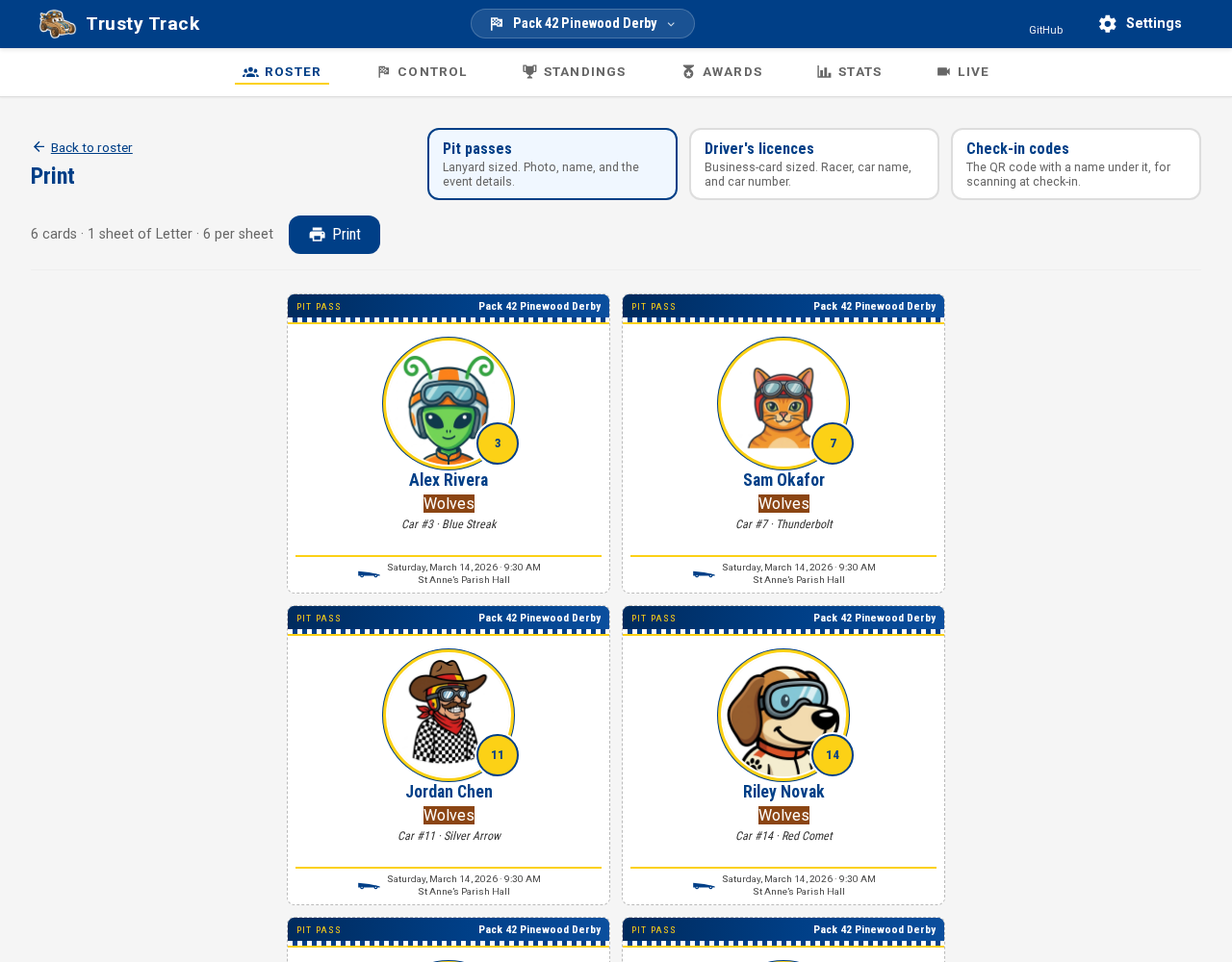
- Print pit passes, driver's licenses, scannable check-in codes, and impound-pit car labels.
Free & open source
Trusty Track handles registration, check-in, the heat schedule, the finish-line timer, the standings and the trophies. It runs on a laptop in the corner of the room — no accounts, no subscription, and no internet on race day.
The demo is one shared race anyone can click through. It resets itself after a quiet spell and keeps nothing.
Runs on macOS, Windows, Docker or a Raspberry Pi. Apache 2.0 licensed.
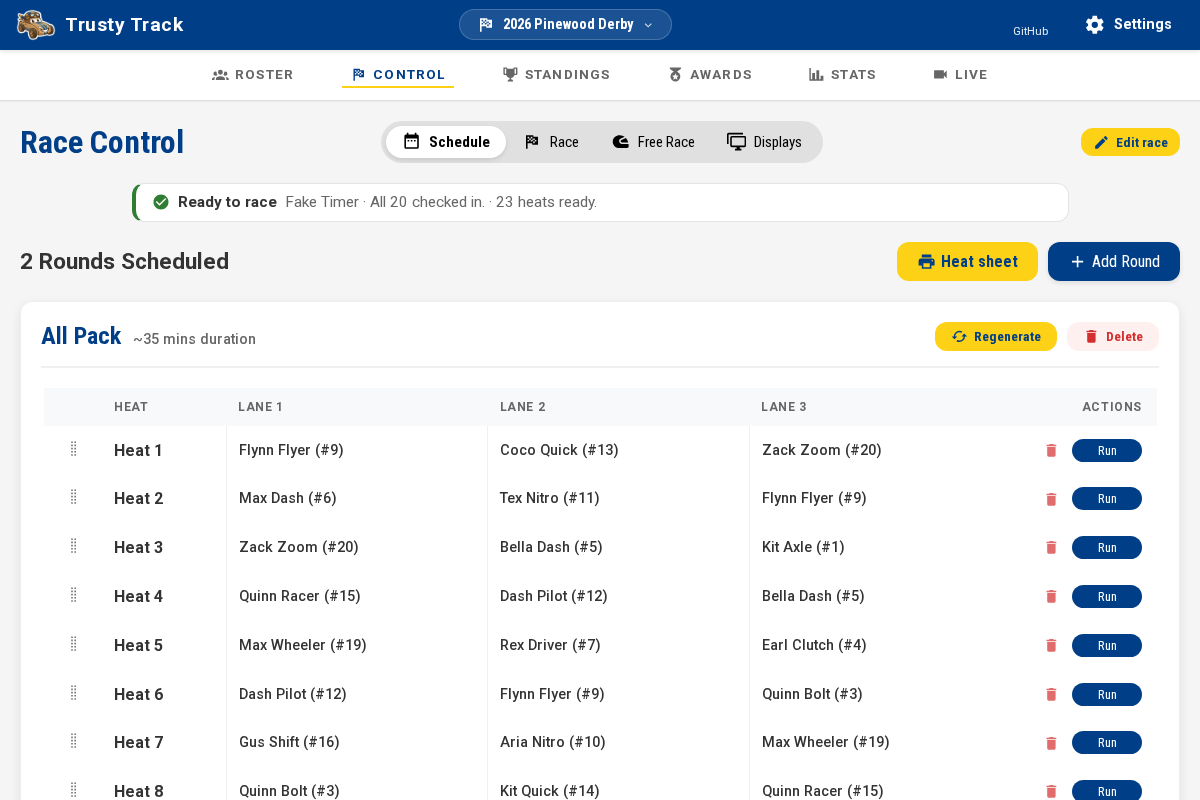
From the roster you type in three weeks early to the last trophy handed out.
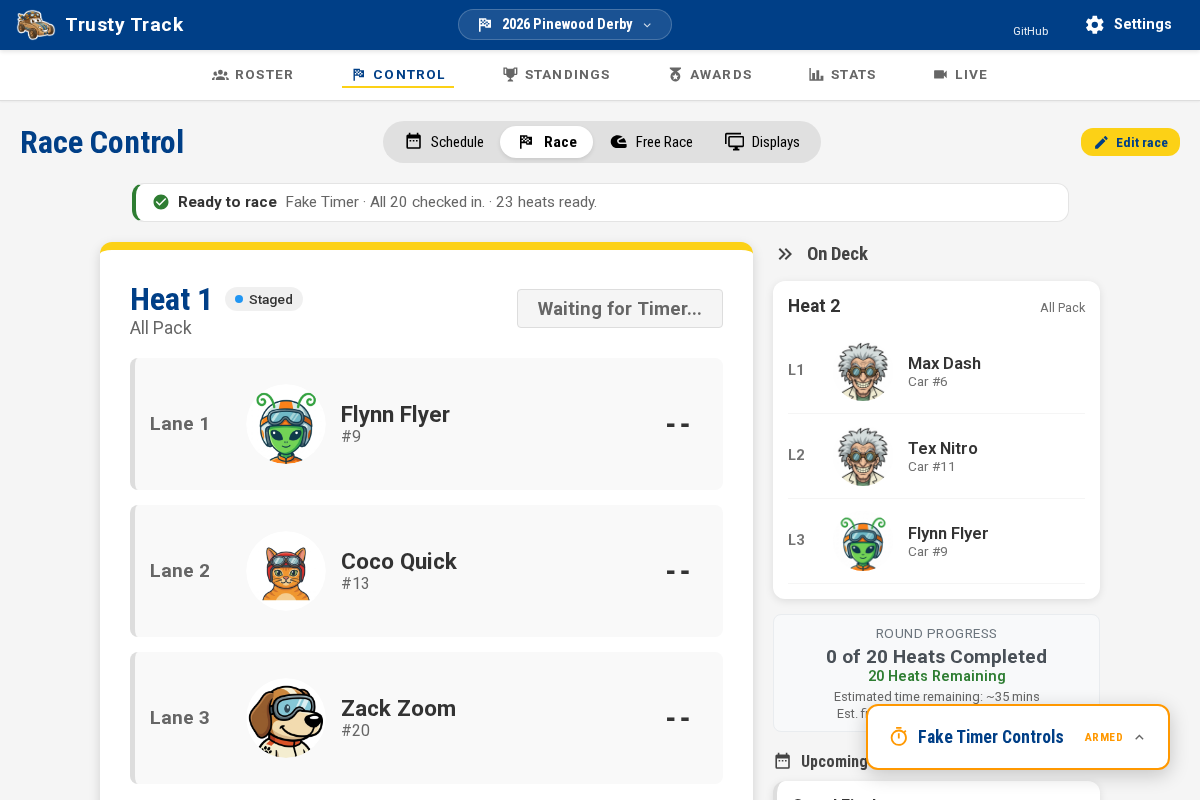
Race Control
The heat on the track, who's on deck, and what the timer is doing — in one place, in type big enough to read standing up. When a heat finishes, the next one comes up on its own. If a car doesn't run, skip it and carry on.
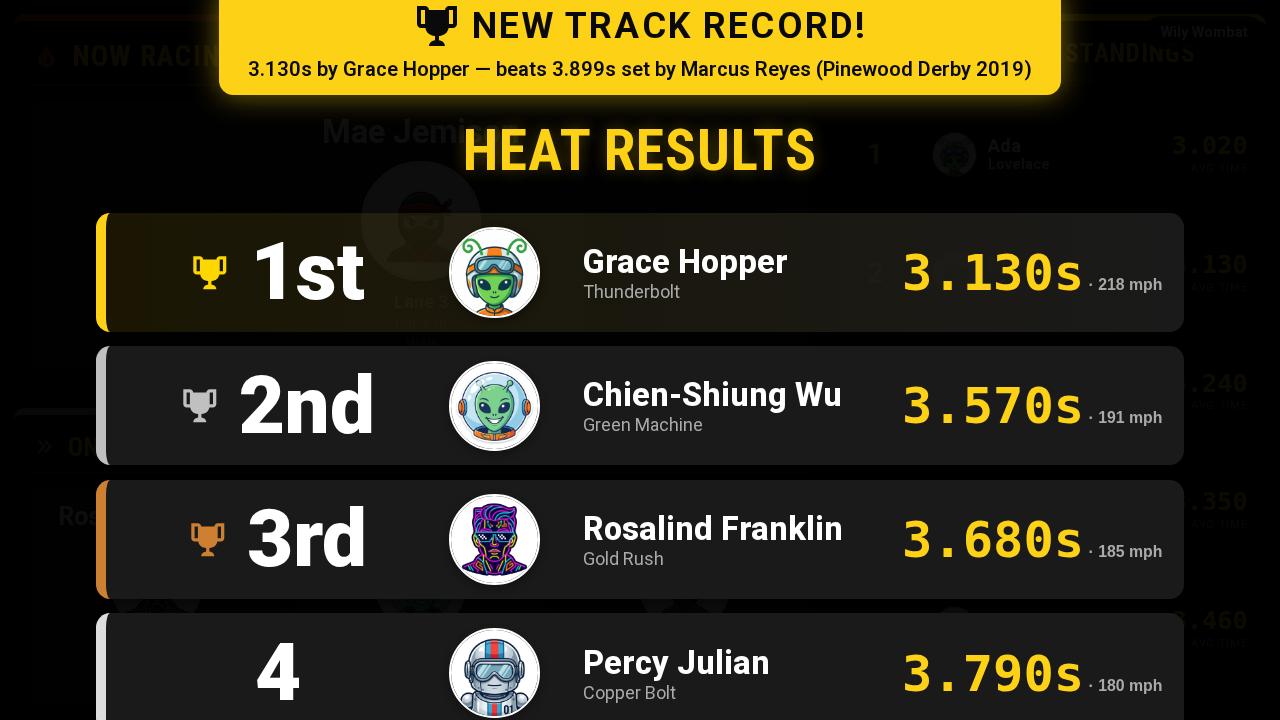
Audience displays
Open a browser on any screen in the room — a spare laptop, a TV, the projector at the back — and point it at the same machine. Now Racing, On Deck, the live leaderboard, the track's all-time records, a photo slideshow of every car. All of it updates as the heats run, in whichever of the seven themes suits your evening.
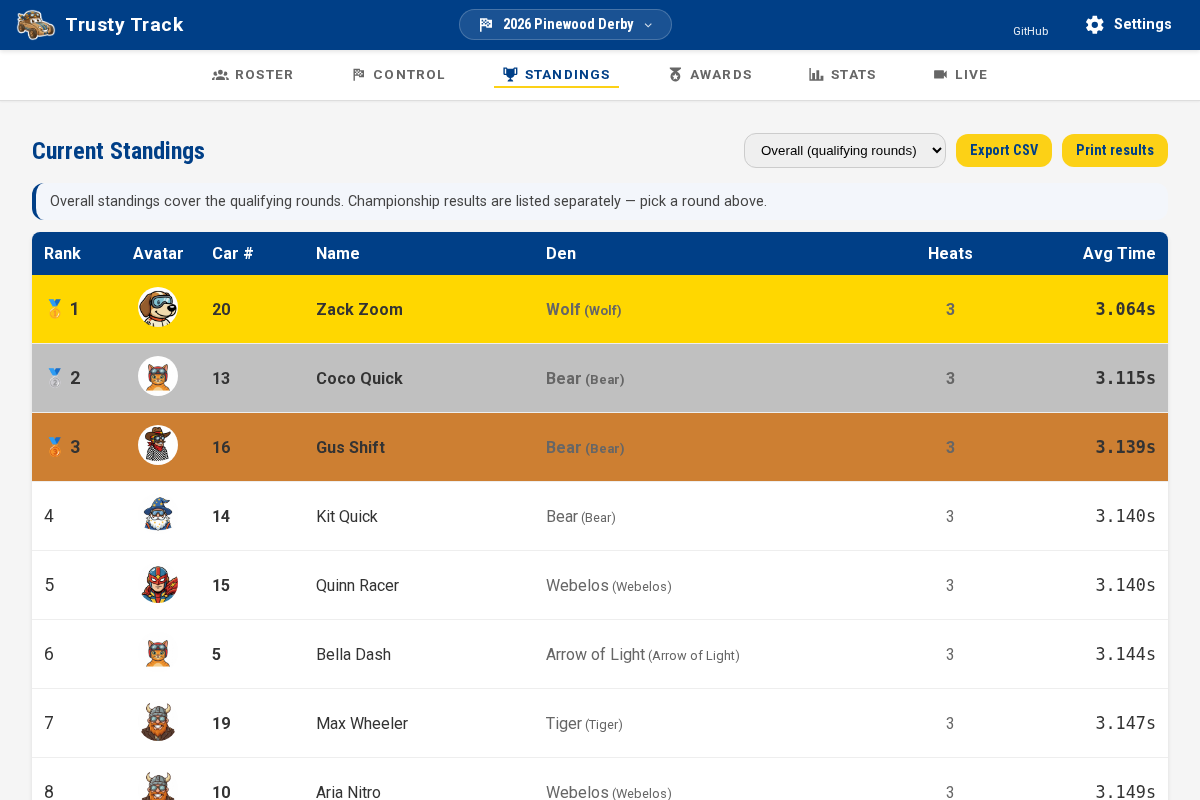
Scoring
Score by average time, or by placement points if you have no timer — a caller at the finish line, typed straight in, no hardware needed. Championship rounds pull their field straight from the standings, and re-pull it if you correct a time later. A tie shares a rank instead of being settled quietly by who registered first.
Printables
Pit passes on lanyards, business-card driver's licenses, check-in codes you can scan with a phone camera to pull a racer up instantly, and adhesive car labels for the impound pit. Sheets come out on a normal printer, sorted by car number so the stack matches the queue.
Trusty Track talks to electronic timers over a serial cable, either directly from the machine it's running on or through a Chrome tab if the cable is somewhere else. It'll go looking for the timer on its own — you don't need to know what a baud rate is.
There's a diagnostics page that arms every lane with no race behind it, so you can check the hardware works the night before rather than in front of a room full of people.
Connecting a timerTimers it knows about
Tested means we replay output captured from one of these devices and check Trusty Track reads it correctly. Nobody here has had one on a bench — the rest are built from DerbyNet's protocol notes and have never met their hardware at all.
If you own any of them, the app can generate a test report from a bench run. Send it in and we'll get that device confirmed properly.
No timer at all? Set the track's Timer Type to No timer and type results in by hand as each heat finishes — built to run the whole event, paired with points scoring since there's no time to average. The trade: no lane-by-lane times, so no track records and no timed standings. See Race and Track Settings.
There's also a fake timer, for a rehearsal the night before or trying the software out. It invents a finishing time a few seconds after Start, so don't use it to record a real race.
There's no company behind this, nowhere for your data to go, and nothing you can't rename.
Everything runs on one machine at the venue. Other screens join over the local network. Church hall dead spots are somebody else's problem.
Photos and names live in a file on your own disk. Nothing is uploaded anywhere, because there's nowhere to upload it to.
Optional PINs split the operator from the check-in table, and leave the wall displays read-only. Off by default.
Back the whole event — database and photos — into a single zip, and put it back on any machine if the laptop dies.
Out of the box: packs, dens and cars. Tell it you're an Awana club, a school, or racing a Space Derby, and it says clubs, grades or rockets instead — pictures included. Every word stays editable.
Pick whichever machine you're happiest with.
One image, one volume. Good on a home server or a NAS.
Some setupTurn a Pi into a race-day appliance that starts itself on power-up.
Not sure? Have a look round the demo before you install anything, work out which method suits you, or build it from source.

Trusty Track is a hobby project, kept free and open source under the Apache 2.0 license. If it saves your pack an afternoon of spreadsheet wrangling, that's the whole point. Found a bug, or want a timer supported? Open an issue — a real person reads them.
It isn't the only option, and sometimes it isn't the right one. How Trusty Track compares covers GrandPrix Race Manager, DerbyNet and the others.