Free Race
A free race is a heat that runs on the timer and shows on the audience display, but counts for nothing. It is invisible to standings, scheduling, championships and statistics, so it cannot disturb the event.
Use it for:
- a shake-down run before doors open, to prove the track and the timer
- a parent's or a sibling's car
- a demonstration for a scout who wants to see how the track works
- the fun heats at the end, once the trophies are handed out
Opening Free Race
Go to Race Control and click the Free Race tab.
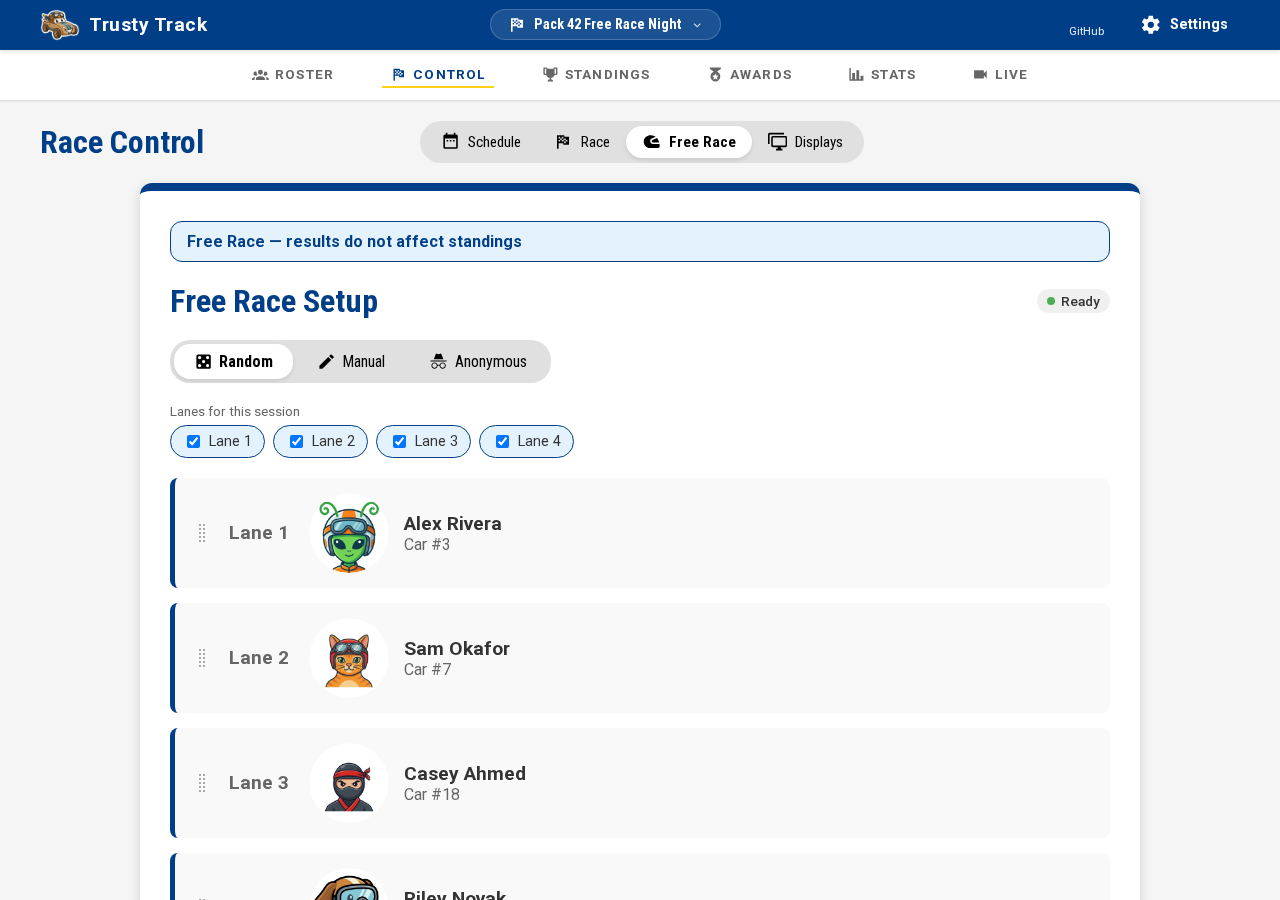 The Free Race tab. The blue banner is on every screen in this mode — nothing you do here changes anyone's standing.
Turning a lane off for a few heats
Free Race lists every lane the track has along the top of the setup screen — click one to switch it off. It lasts only as long as this tab stays open; leave the page or reload it and every lane comes back. Use it when a car is stuck in a lane, or to test one lane at a time on the bench.
 Lane 2 clicked off for this session — it turns white and drops out of every
mode below until it is clicked back on.
Lane 2 clicked off for this session — it turns white and drops out of every
mode below until it is clicked back on.
A lane the track itself has taken out of service shows here too, grayed out and already off — this toggle cannot turn that lane back on, only take a working one out temporarily. See a lane stops working to bring a broken lane back for good.
Choosing who races
Whichever lanes are switched on above, all three modes below fill from that set — a disabled or out-of-service lane never gets a car, in any of them.
Random
Random is the default and fills the lanes from the checked-in roster. It is usually what you want for an impromptu run: click Re-shuffle for a different draw. Drag a lane by its handle if you want to move someone.
Manual
Switch to Manual to pick each lane yourself, and click Clear All to empty every lane and start again. Lanes may be left empty — a two-car exhibition on a four-lane track is fine.
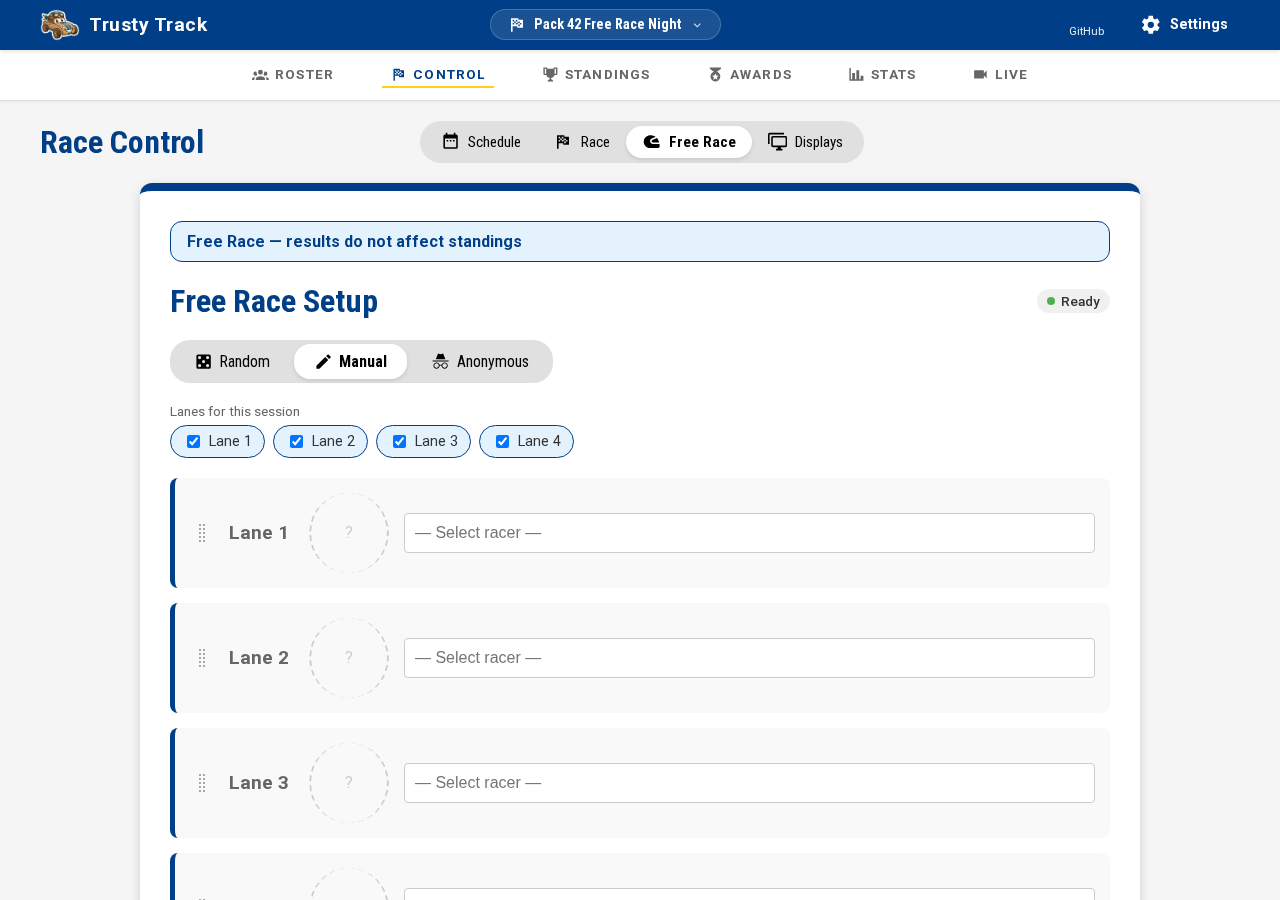 Manual mode gives every lane a racer picker. Leave a lane on "Select racer" to run it empty.
Anonymous
Anonymous names nobody. Put any car in any lane and the time is kept against the lane rather than against a racer, so the button reads Start Anonymous Heat. Use it to test the track or the timer before anyone arrives, or to run cars that are not on the roster.
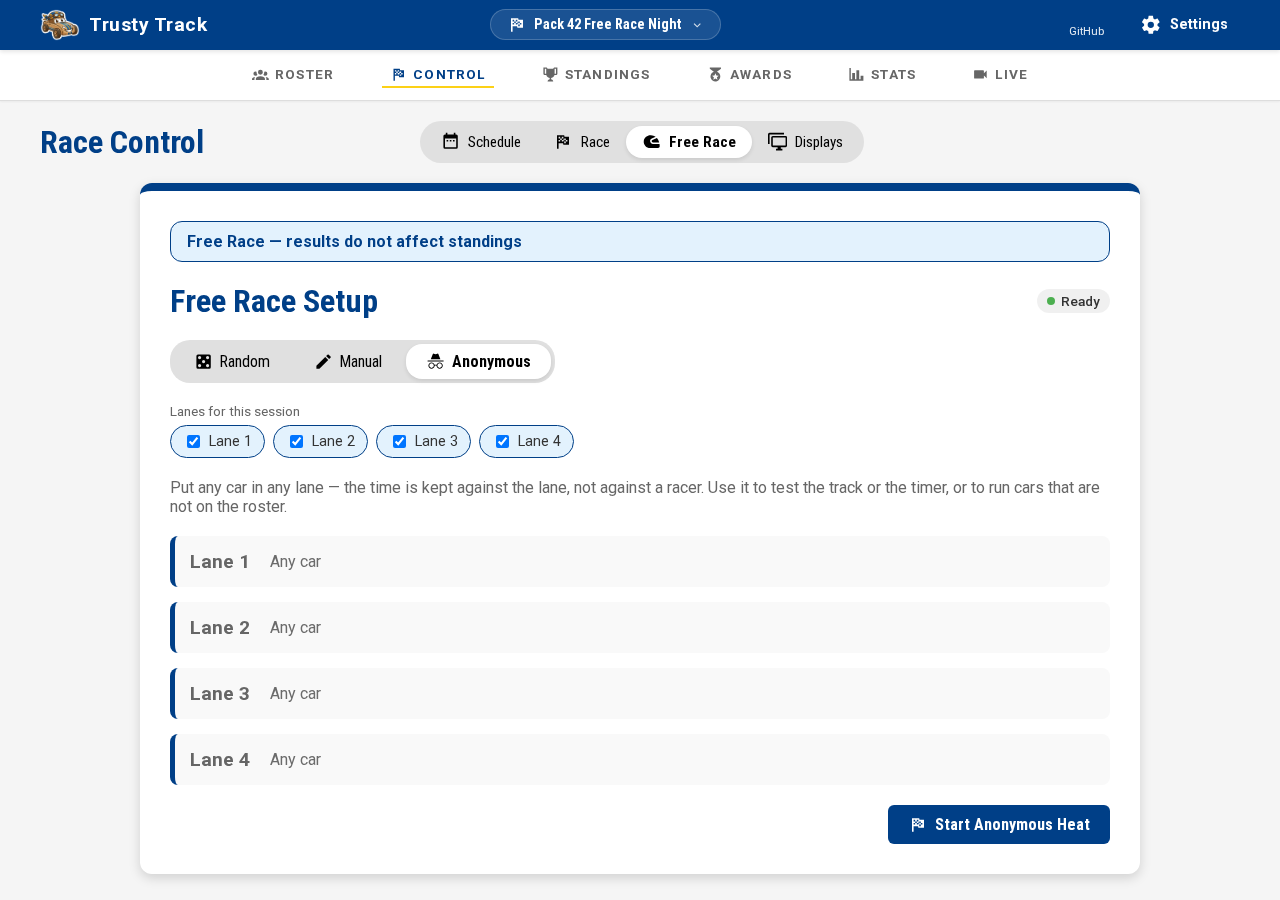 Anonymous mode. Nothing to pick and nothing to shuffle — one row per lane the track has.
Random draws from the checked-in racers only
A Random draw is made from the racers whose cars have passed inspection, so somebody who has not been checked in will never come up in one. The Manual pickers list the whole roster, checked in or not.
Running the heat
Once started, the heat is staged and waiting for the timer, exactly like an official one.
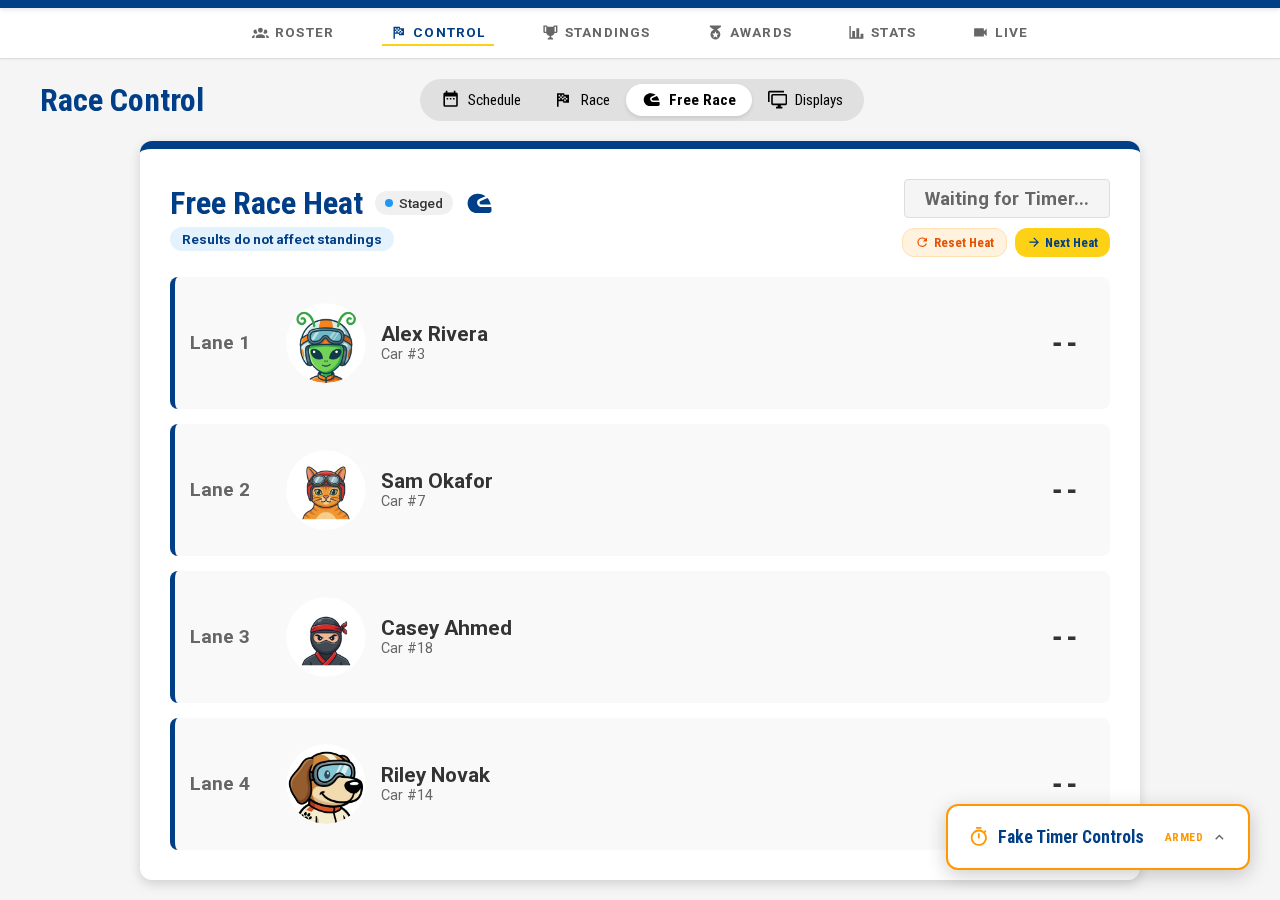 A staged free race heat. With a fake timer configured, the Fake Timer Controls appear in the corner — see the Fake Timer guide.
- With a hardware timer: release the cars as normal; times arrive on their own.
- With the fake timer: click Start Timer. The heat finishes on its own a few seconds later, or click Finish Heat to end it at once.
- With no timer at all: nothing is armed, and the main button is Enter Results. A free heat is exhibition — never scored — so this always asks for finishing order by hand rather than a time, whichever scoring method the race itself uses. See No timer.
Results appear as soon as the heat finishes, with places and the winner highlighted.
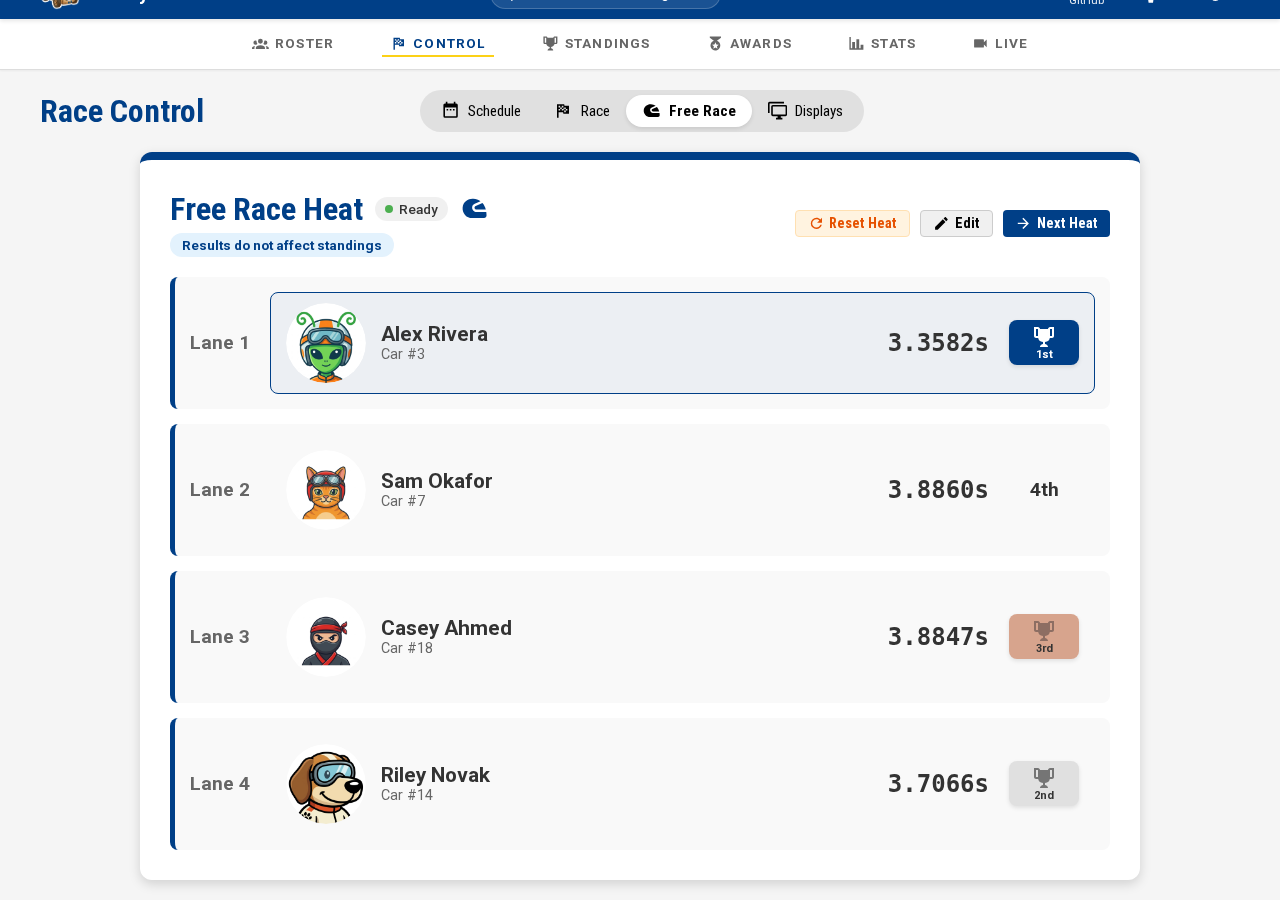 A completed free race heat. The same lane cards, times and places as an official heat — and the same reminder that none of it counts.
Three buttons sit above the results:
| Button | What it does |
|---|---|
| Reset Heat | Clears the times and re-arms the timer, so the same lane-up can race again |
| Edit | Enter or correct times by hand — finishing order instead, on a track with no timer |
| Next Heat | Goes back to lane setup for another run |
Next Heat on a heat that never ran throws it away rather than leaving an empty record behind.
What the audience sees
A free race heat takes the "currently racing" spot on the Observation display, labelled Exhibition so nobody mistakes it for part of the event, and its times appear in the results panel when it finishes. The leaderboard beside it does not move.
The display follows the timer, so the spot goes to whatever is actually on the track. Arm a free race in the middle of an event and the audience sees it; finish it and the display returns to the scheduled heat. A free race you set up and then left alone does not take the spot, because it is not on the track — only an armed one is.
What it never touches
A free race heat is excluded from:
- Standings and the live leaderboard
- Race statistics — lane fairness, per-racer averages, top moments
- Heat scheduling — it is not part of any round
- Championship places — a fast free race does not qualify anybody
That exclusion is the whole point of the mode. If you want a run that does count, add a round from the Schedule tab instead. What the standings count is spelled out in Scoring.